Network access configuration
Access configuration and Bastion Hosts
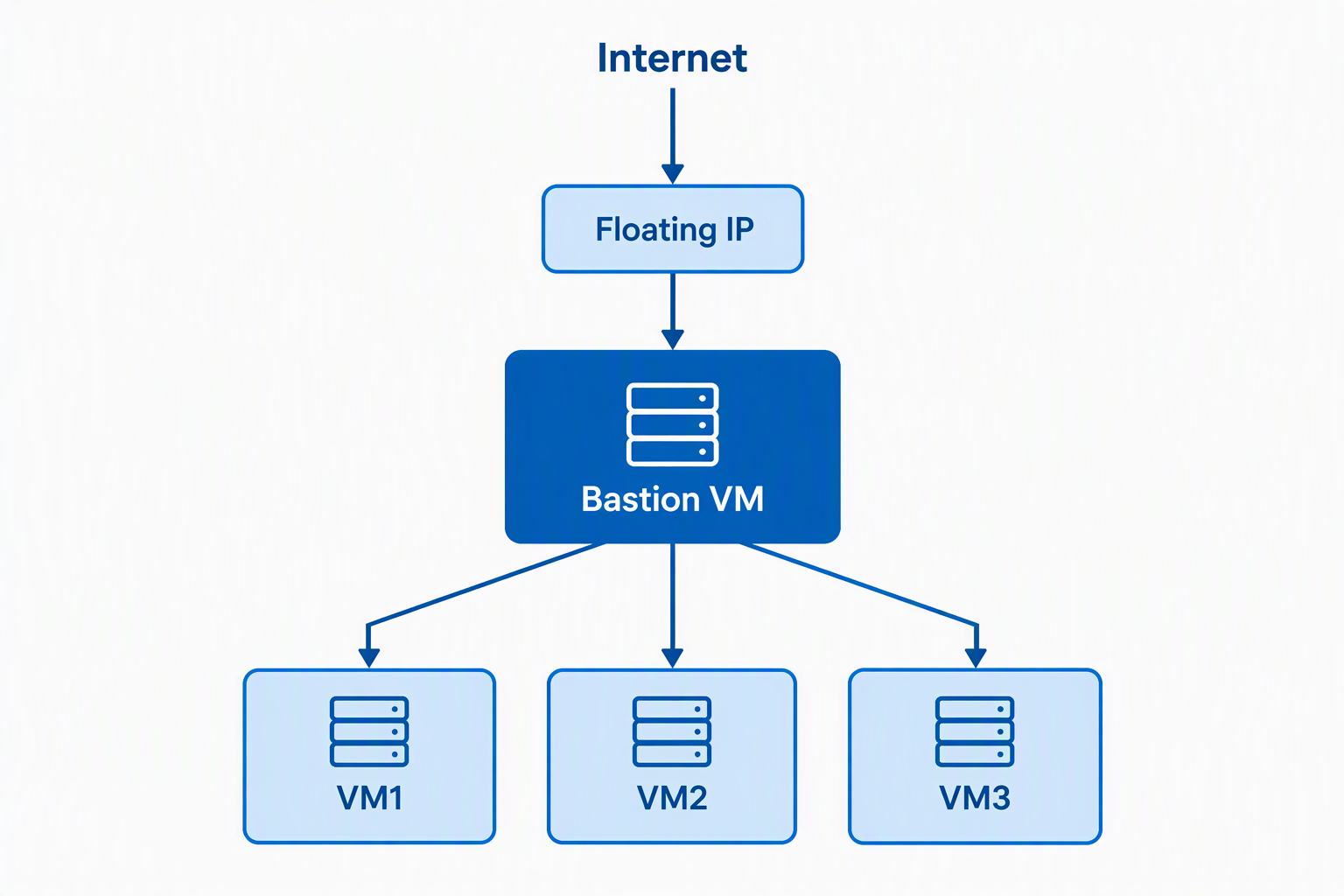
Each OpenStack project in CINECA has typically few available floating IPs. The simplest configuration to work on multiple VMs using only one external IP address is to setup a Bastion Host. The bastion is a virtual machine with minimal resources (usually 1CPU is enough) and one external IP allocated, that handles incoming connection to the project network. When the user wants to connect to a project VM, they will ssh on the bastion and then jump over the project internal network to the desired VM.
Warning
The bastion host is a critical point of access to the project network. Be sure to keep the bastion host updated with security patches.
How to create a bastion host
On OpenStack, create an ephemeral VM with the smallest flavor available (e.g. hpc.1cpu.3gb on GAIA) and associate to it a floating IP (see page Floating IP: allocate and associate).
This VM will be the bastion host, and it will be used to access other VMs in the project network. To connect to a VM through the bastion, it is necessary to add an SSH security group to the bastion.
When creating the bastion host, your OpenStack network topology should look like the following:
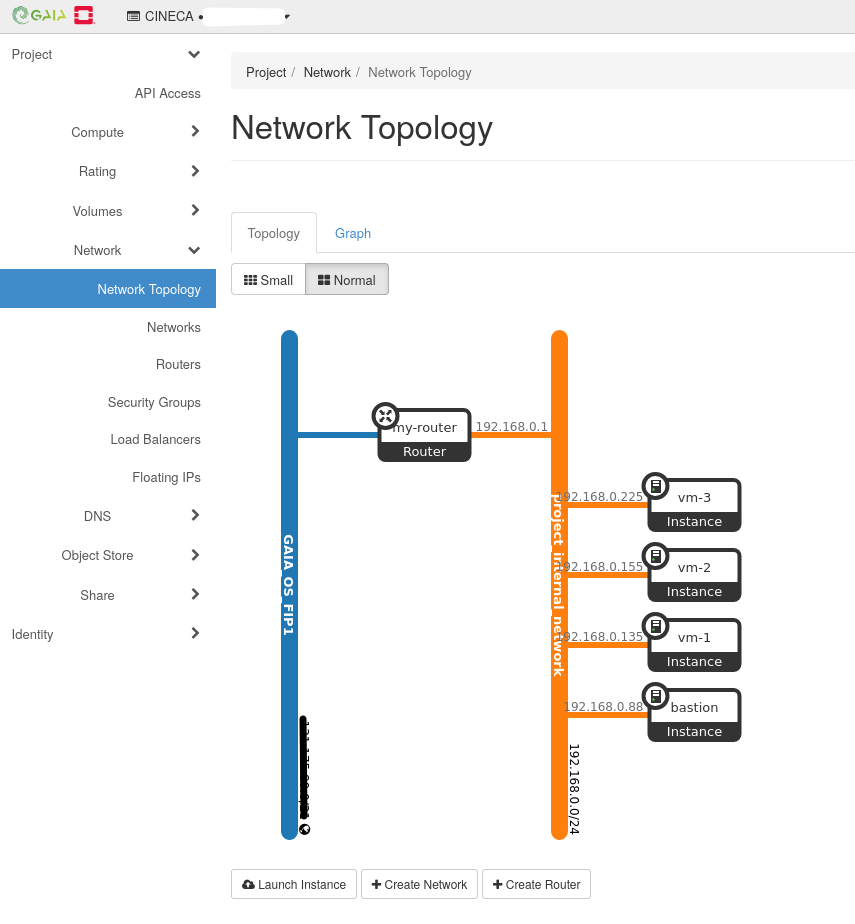
It is advisable to add to the bastion only the SSH security group. For exposing other services, it is best to create a dedicated load balancer.
How to connect to VMs trough the bastion
On the machine you want to access the VMs from, setup your ~/.ssh/config following the example below:
host bastion
    HostName <BASTION_FLOATING_IP>
    User <BASTION_USER>
    IdentityFile <FULL/PATH/TO/BASTION_KEY>

host my-vm-name
    HostName <VM_INTERNAL_IP>
    User <VM_USER>
    IdentityFIle <FULL/PATH/TO/VM_KEY>
    ProxyJump bastion
Then you will be able to access the VM with:
ssh my-vm-name